The Signatures page
Three tabs:
- Awaiting me — documents it is your turn to sign, each with who sent it ("From
<name>"). - Sent — documents you sent that aren't finished yet, and drafts you haven't sent, each with how many have signed ("1 of 2 signed").
- Completed — finished requests: everyone signed, someone declined, you cancelled it, or it expired.
Each row shows the document's name, its state — "Not sent yet", "Waiting for signatures", "Everyone signed", "Declined", "Cancelled" or "Expired" — and a date. Select a row to open it: one awaiting you opens the signing page, a draft opens where you left it, and everything else opens the request page. An empty tab says so: "Nothing is waiting for your signature.", "You haven't sent anything to sign." or "Nothing has finished yet." If SuaveDocs can't reach your account details, the page says "SuaveDocs couldn't check what you can do. Try again shortly." — wait a moment and open the page again.
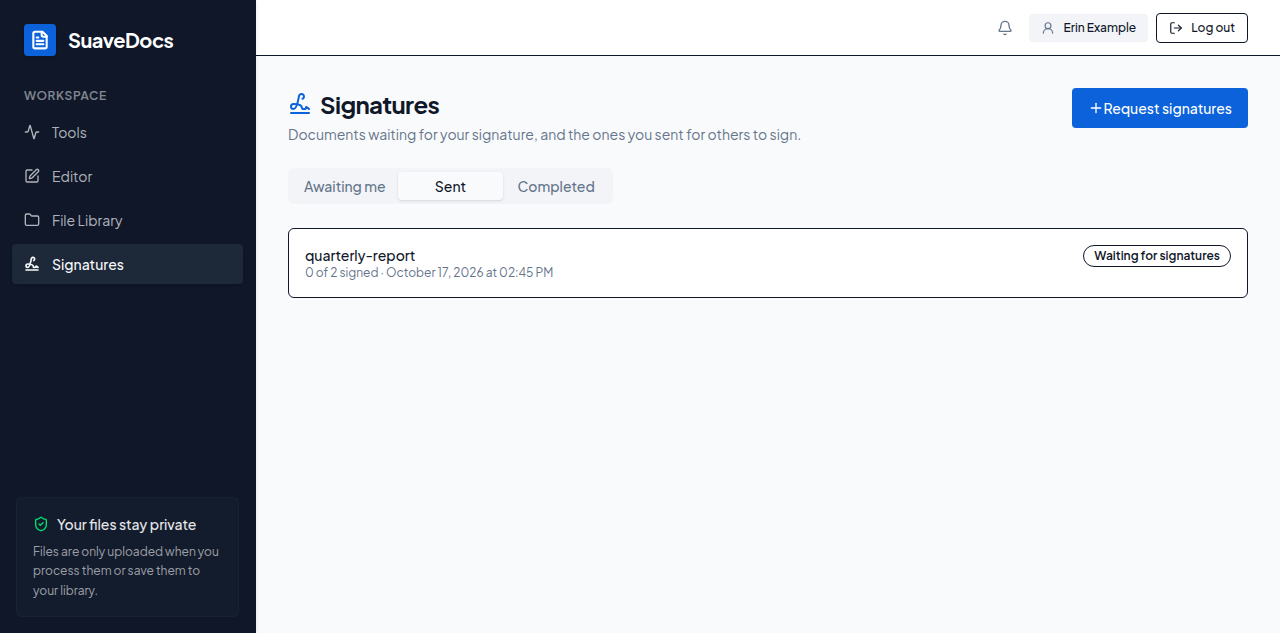 Figure: the Signatures page.